Automatically post AI-generated conversation summaries through your Sweo workflows. With a simple setup process, you can ensure that key information from a conversation is easy to read and readily available to you and your team.
Common use cases for AI summary notes
After Sweo hands over to a teammate: This is useful so you can understand what Sweo tried to do before the conversation landed in your inbox.
After closing conversations: This is useful in cases where conversations reopen and you want to get up to speed quickly with what has happened in the conversation so far. It’s also useful when reviewing conversations retroactively for quality assurance.
Add an AI summary note to a workflow
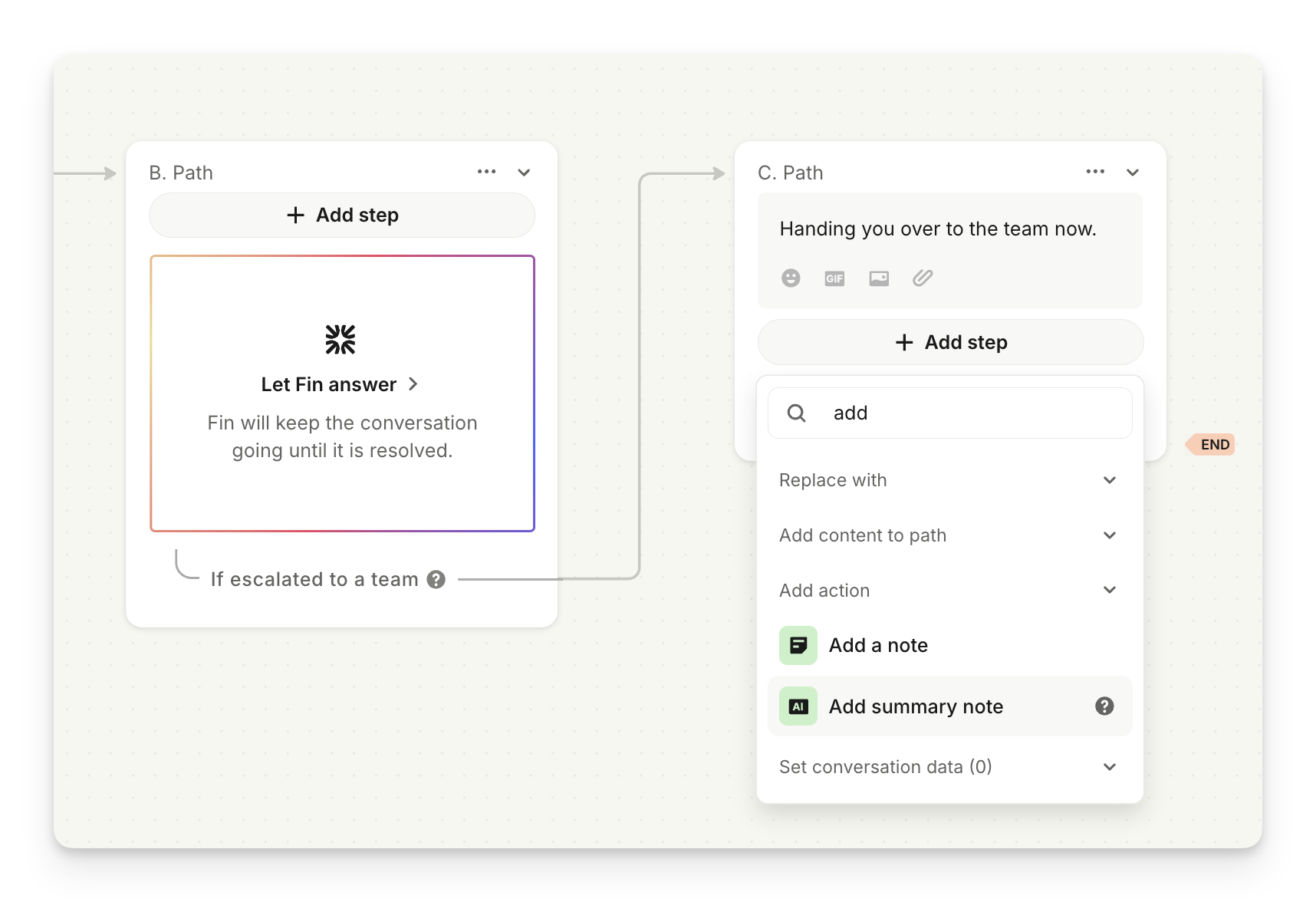
From a Sweo workflow, simply add a step and select the Add summary note action. Then save your workflow and set it live.
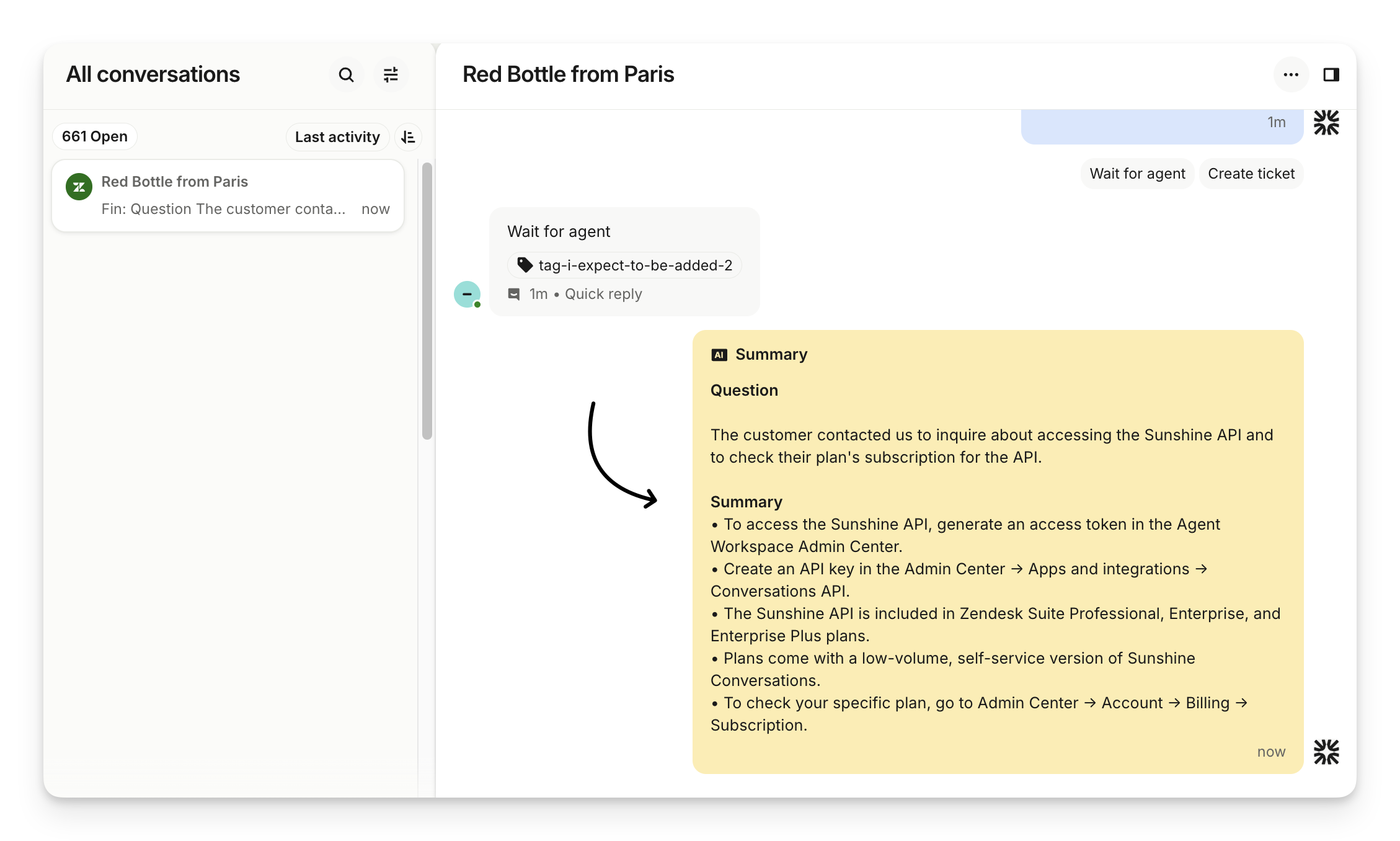
Once the action is triggered in a workflow, an AI summary note will be posted to the conversation. This will only be visible to teammates in your Sweo workspace and on your helpdesk (if the conversation was handed over to Zendesk, Salesforce, etc.)
Note: There are some instances in which a summary won't get posted. A summary will only get posted if there has been:
More than 3 messages in the conversation.
Less than 2 summaries posted per conversation/hour.
Less than 1000 summaries per workspace/hour.