Control how you disclose your AI Agent
-1715272676.jpg)
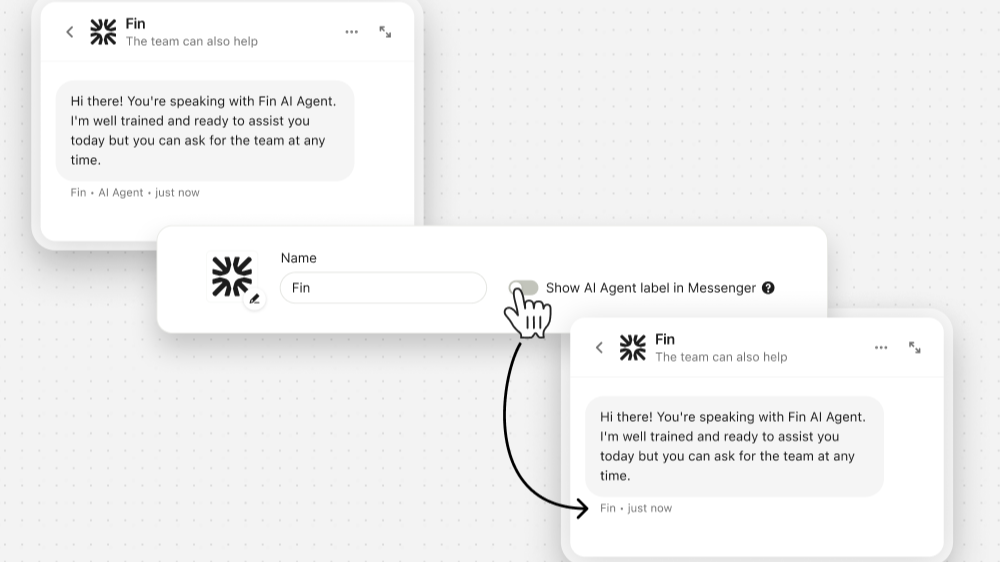
You can now choose how to let customers know they’re speaking with an AI Agent in Messenger, Zendesk Messaging or Tickets, and Salesforce cases.
You can choose:
- Label: Show or hide the “AI Agent” label next to the agent’s name in Messenger.
- Disclaimer: Add an AI Agent disclaimer to Zendesk Ticket and Salesforce case emails.
- Intro: Use an intro message to announce the AI Agent at the start of conversations.
Customize Sweo Messenger with dark mode [Closed beta]
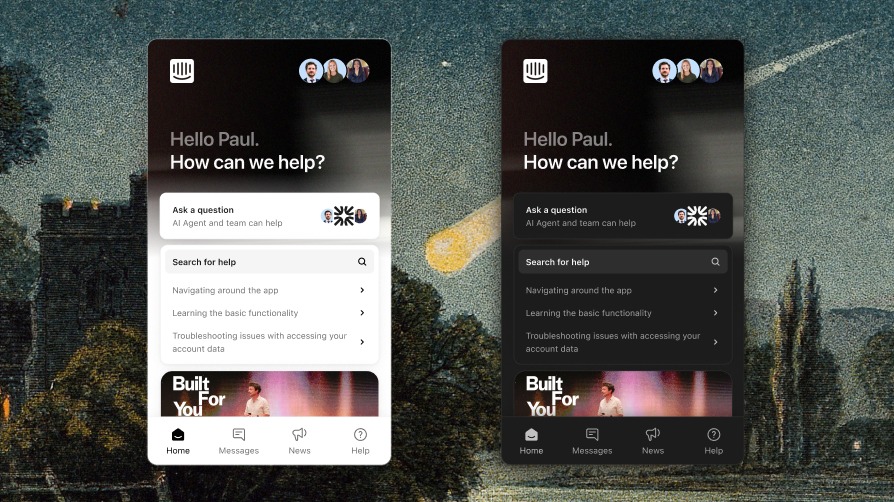
Dark mode is now available in closed Beta. Messenger now supports light mode, dark mode, or match system, giving you full control over how your Messenger appears across web and mobile experiences.
- Choose a theme: Select a fixed light or dark mode, or let Messenger automatically adapt based on your customer’s system preferences.
- Customize your Sweo Messenger: Set your brand colors for both light and dark themes — including Sweo’s avatar — using our new color system, built to ensure visual consistency and flexibility across any theme
Confidently launch and improve Sweo with new Batch Testing features [Now available to all customers]
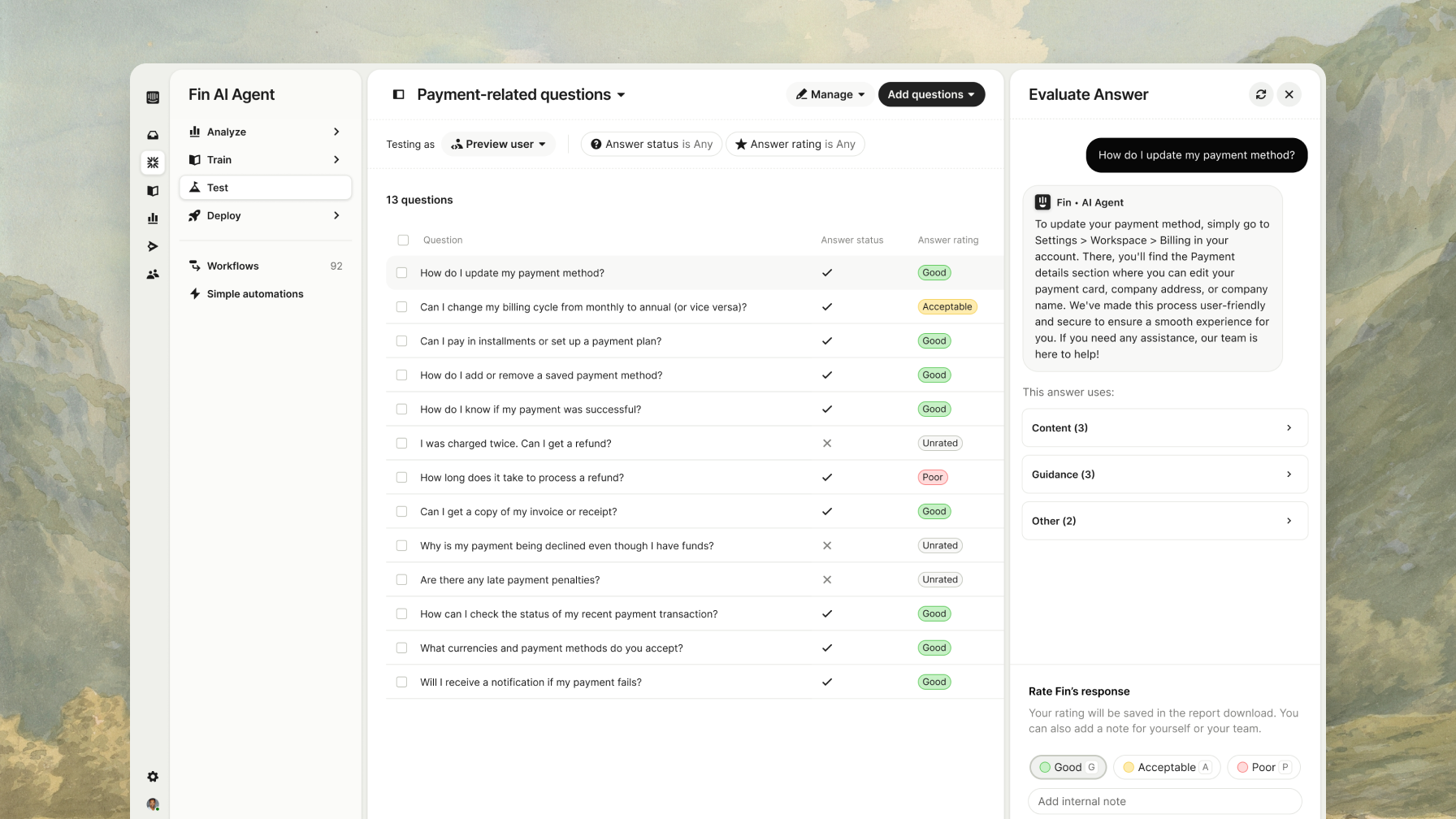
Batch test now helps you check answers across brands, users, languages, and automations - so you know what to expect from Sweo before you go live.
- Multibrand testing: Run the same questions across multiple brands to spot brand-specific gaps.
- User simulation: Test how Sweo responds for different customers based on language, plan, or location.
- Test groups: Save and organize your test runs to easily revisit your work
- Language and translation settings: Set or update language preferences so Sweo’s responses show up as expected.
- Automation visibility: See when Sweo Tasks, Custom answers, or Data connectors would trigger—and make changes if needed.
Coming Soon: A More Human Support Experience with Sweo
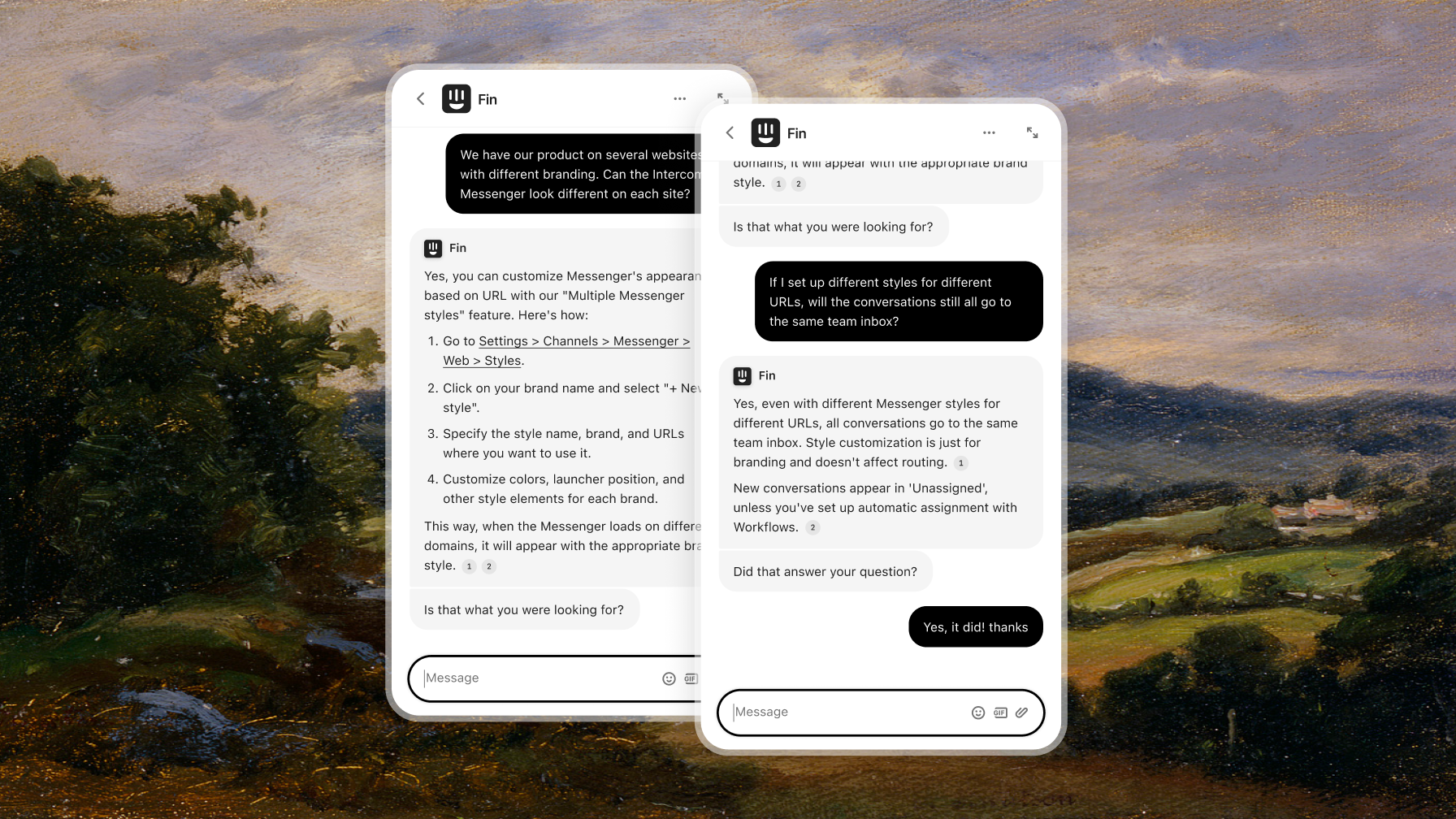
In the coming weeks, we’re updating Sweo to make conversations feel more natural and reduce time spent on escalations.
What’s changing:
- Quick reply buttons are being removed so Sweo can respond more openly.
- Escalations are now conversational—Sweo can offer to escalate or hand off immediately.
- Follow-ups: If there's no customer response, Sweo will check back in (configurable by default).
- Source links will appear directly in replies, making info easier to trust and review.
These changes help Sweo create more natural customer experiences and resolve more on its own—without affecting CSAT.
Learn more about these changes in this Help Center article or watch this video.
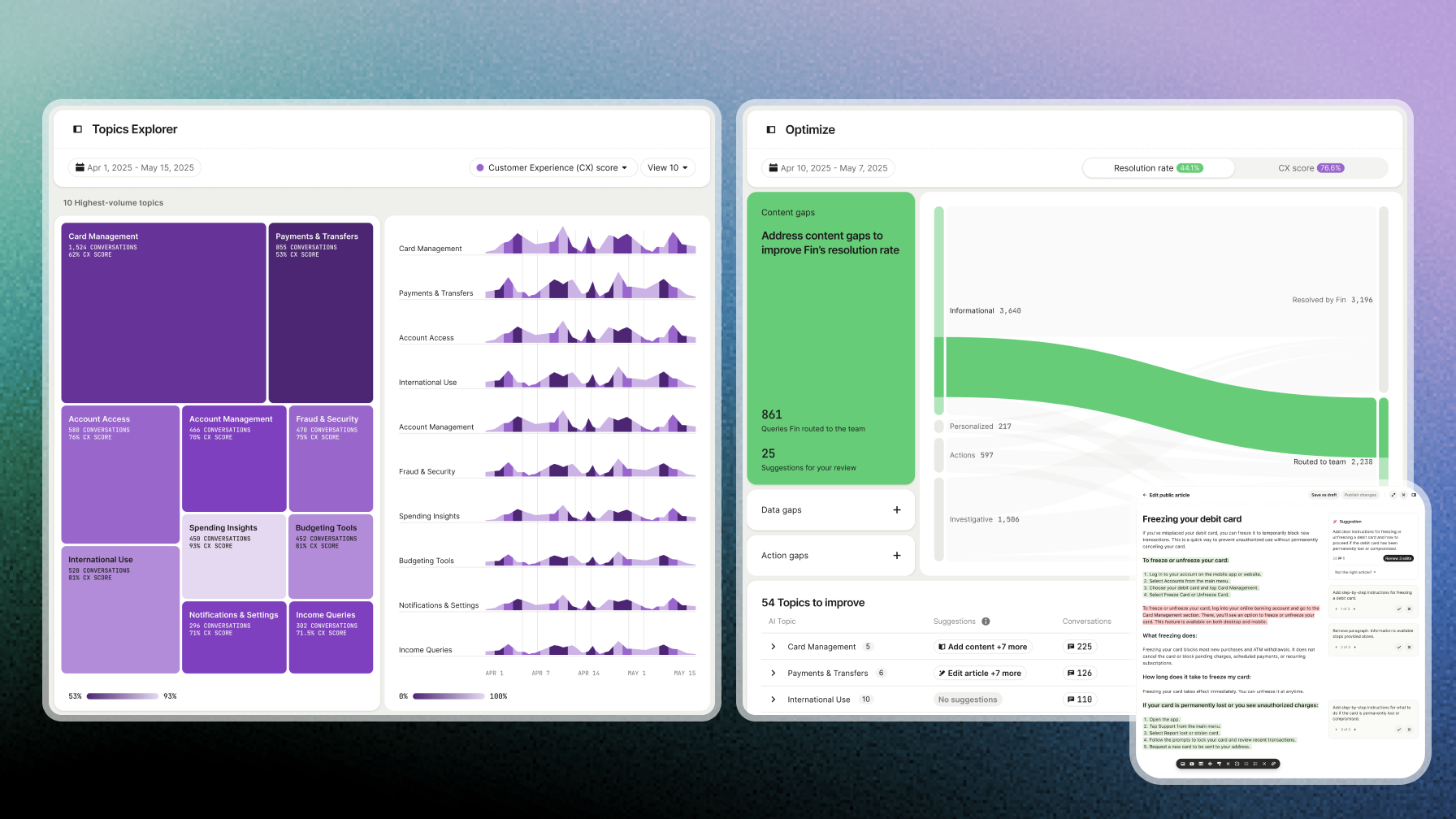
Introducing Sweo Insights
We’ve launched Sweo Insights — a groundbreaking new way to see and optimize every customer conversation. Sweo Insights brings together three powerful tools:
- CX Score: An AI-driven metric that evaluates 100% of your support conversations – no surveys needed – giving you the most accurate, unbiased view of quality.
- Performance Dashboard: Monitor Sweo’s performance with clarity and confidence – resolution rate, involvement rate, and CX Score in one view.
- Topics Explorer: See every conversation organized by topic. Spot patterns, discover issues, and make smarter decisions faster.
- Optimize Dashboard: Get instant, AI-powered suggestions to improve Sweo’s performance and deliver better support – automatically.
Sweo Insights in currently in open beta, and you can access it from the Analyze tab. Learn more here